


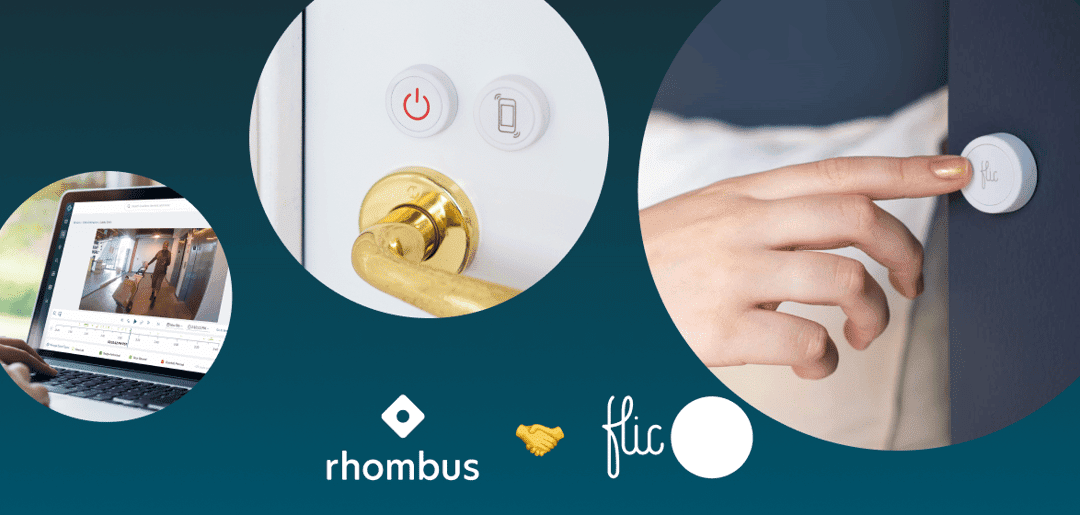
Rhombus Flic Smart Buttons. Rhombus’ integration with Flic smart buttons turns a simple, wireless button press into a powerful way to control cameras, access control, sensors, and alarms—without forcing staff to dive into apps or dashboards during critical moments.
What are Rhombus Flic Smart Buttons, in Plain Language?
Flic smart buttons are small, programmable wireless buttons that can trigger actions in the Rhombus cloud platform.
Through the Rhombus–Flic integration, each button press can execute a pre configured “Action” in the Rhombus Console—such as sending alerts, locking doors, starting camera recording, or kicking off a lockdown workflow.
In practice, that means non technical staff can do sophisticated things (like initiate an emergency protocol or mark an incident across multiple cameras) with a single, physical button press.
How Does the Rhombus–Flic Integration Actually Work?
At a technical level, Rhombus uses Flic’s hardware and SDK to map physical button presses to Rhombus Actions.
Key pieces of the integration:
-
The Flic button communicates with a Flic Hub or compatible device, which sends the press event to the cloud.
-
Rhombus receives that event and matches it to an Action you’ve configured in the Rhombus Console (for example, “lock main lobby doors and send an alert”).
-
The Action can touch multiple Rhombus components at once—cameras, access control, IoT sensors, alarms, and monitoring workflows.
Because the integration is cloud native, you don’t have to re cable or re flash hardware to change behavior; you update the workflow in the Rhombus Console and the new behavior applies the next time someone presses the button.
What Problems do Flic Smart Buttons Solve for Security Teams?
Rhombus and Flic are addressing a very specific operational gap: when something happens in the real world, people don’t have time to hunt through menus.
Flic buttons help by:
-
Reducing response friction
-
A receptionist or teacher can trigger an alert or lockdown with one press instead of opening an app, logging in, and navigating to the right screen.
-
-
Making advanced systems usable for everyone
-
Staff who aren’t “tech people” can still use advanced workflows; they only need to remember which button to press.
-
-
Standardizing responses
-
A single button press always runs the same, pre approved sequence—no improvising under stress, and no forgetting a step in the protocol.
-
The result is a system that’s both more intuitive and more consistent, which is exactly what modern physical security needs.
What Kinds of Actions Can One Button Press Trigger?
Rhombus lets administrators map Flic button presses to almost any Action supported in the platform.
Examples include:
-
Immediate alerts to security
-
Send push notifications, emails, and in console alerts to designated security groups.
-
Attach live or recent video feeds from associated cameras so responders see context instantly.
-
-
Camera and sensor automation
-
Force specific cameras to start recording or tag footage as an “incident” from the moment the button is pressed.
-
Trigger specific IoT sensors or audio gateways (for example, broadcast a pre recorded warning via a Rhombus A100 audio device).
-
-
Access control and lockdowns
-
Lock or unlock specific doors or zones through Rhombus Access Control.
-
Initiate a partial or full lockdown procedure from a single press—useful for schools, offices, or warehouses.
-
-
Operational and non emergency workflows
-
Trigger a “closing checklist” or “delivery arrival” workflow tied to cameras and notifications.
-
Generate event markers and reports that help you analyze patterns later.
-
The integration supports different press types (single, double, long press), so one button can drive multiple workflows if you choose.
What Are Real World Use Cases for Rhombus Flic Buttons?
Rhombus highlights several scenarios where Flic buttons significantly improve safety and operations.
Common examples:
-
Reception areas and front desks
-
A receptionist can discreetly press a Flic button when a visitor becomes aggressive, instantly alerting security and pulling up live video of the lobby.
-
-
Warehouses and industrial facilities
-
Supervisors can trigger cameras, lock zones, or turn on sirens when they see unsafe behavior, a spill, or an intruder in restricted areas.
-
-
Assisted living and healthcare
-
Staff can place Flic buttons in resident rooms or service areas to call for help or flag incidents, with alerts tied to live camera feeds so responders know what they’re walking into.
-
One large assisted living provider reports that integrating Flic buttons and hubs with Rhombus significantly improved response speed while lowering operational costs.
-
-
Education and campus security
-
Buttons in classrooms or offices can initiate lockdowns, notify campus security, and tag camera footage across specific buildings.
-
In each case, the value is not just “a button”; it’s giving people on the ground a fast, intuitive way to activate a carefully designed workflow.
How Does This Compare to Rhombus’ Own B10 Smart Button?
Rhombus already offers its own B10 Smart Button, a battery powered device with Panic and All Purpose modes, deeply integrated with Rhombus Alarm Monitoring.
Key distinctions:
-
B10 Smart Button
-
Rhombus branded hardware.
-
Panic Mode tightly tied to Alarm Monitoring and TMA Five Diamond dispatchers—press once, send live video to professional monitoring, and dispatch first responders.
-
All Purpose Mode supports custom workflows with single/double/long press options.
-
-
Flic Smart Buttons
-
Third party hardware integrated through Flic’s SDK and the Rhombus Console.
-
Ideal for organizations that already use Flic or want more general purpose smart buttons they can also leverage outside of security.
-
The Flic integration “builds on” Rhombus’s existing sensor capabilities, including B10, giving organizations more flexibility in how they deploy physical controls.
How Does This Fit into Rhombus’ Broader Cloud Native Security Strategy?
The Flic integration is a textbook example of Rhombus’ philosophy: a unified, cloud native platform that plays well with best in class partners.
Benefits that come from this cloud native approach:
-
Remote configuration
-
Admins can change what each button does—across one site or dozens—without touching the hardware.
-
-
Easy scaling
-
New Flic buttons and hubs can be rolled out, mapped to Actions, and managed centrally from the Rhombus Console.
-
-
Rich visual context
-
Every button triggered alert can include live or recorded video from Rhombus cameras, allowing rapid triage and informed decisions.
-
-
Open, flexible ecosystem
-
The Flic integration sits alongside other IoT integrations (like smart sensors), proving Rhombus is committed to interoperability, not lock in.
-
For organizations already using Rhombus, adding Flic smart buttons is a low friction way to make the system more usable for frontline staff. For those evaluating platforms, it’s a concrete signal that Rhombus is serious about combining powerful capabilities with simple, human friendly controls.
Who Should Consider Deploying Rhombus Flic Smart Buttons?
Flic buttons make the biggest impact for organizations that:
-
Have Rhombus cameras, access control, or sensors already in place—or are planning a rollout.
-
Want non technical staff to trigger advanced workflows quickly and safely.
-
Operate multi site environments (like campuses, retail chains, or care facilities) where centralized configuration and reporting matter.
If your current pain points include “people don’t know what to do in an emergency,” “it takes too long to respond,” or “our tools are too complex for the front line,” then Rhombus plus Flic smart buttons is exactly the kind of simple, reliable layer that can close the gap.