


Legacy CCTV upgrades in Austin and Dallas replace analog cameras, DVRs, and heavy cabling with IP-based cloud video surveillance, delivering remote monitoring from any device. Dyezz Surveillance and Security designs phased migrations that reuse existing cable where possible, cutting cost and downtime. Businesses gain higher-resolution footage, scalable storage, and 24/7 access control integration without a full system replacement.
Key Takeaways
- Legacy analog CCTV systems require IP video components and cloud infrastructure for modern surveillance capabilities.
- Cloud video surveillance eliminates expensive on-site equipment, reducing thousands of dollars in DVR and server costs.
- Hybrid recording options combine on-site NVR with cloud backup, enabling mobile access from anywhere in Austin or Dallas.
- AI analytics integration transforms existing camera footage into actionable security intelligence for retail, offices, and warehouses.
What Should You Know Before Upgrading Your CCTV?
Upgrading a legacy analog camera network starts with recognizing why the shift matters now. Austin’s tech-driven economy is pushing demand for advanced [CCTV systems](https://dyezz.com/best-commercial-cctv-systems/) in Austin, TX to new highs, and businesses that delay risk falling behind competitors who already monitor operations remotely. Video surveillance no longer functions as a backup measure bolted onto a security plan. Across Austin and Dallas, it has become a core piece of how commercial properties protect assets, staff, and customers daily.
Is old analog equipment still good enough for a business?
Many facility managers hold onto analog DVRs because the cameras still record footage without obvious failure. That assumption creates budget hesitation, since replacing “working” hardware feels like an unnecessary expense. The real question isn’t whether the equipment functions. It’s whether it delivers remote access, searchable footage, and integration with modern alarm and access-control tools.
What should a facility manager confirm before switching?
Before signing off on a migration plan, decision-makers should verify a few essentials:
- Identify which existing cameras are IP-capable versus analog-only.
- Confirm current cabling and bandwidth can support cloud-based recording.
- Map out which locations need mobile alerts versus on-site-only viewing.
- Set a realistic timeline that avoids gaps in coverage during transition.
Dyezz Surveillance and Security, based in Austin, Texas, applies local market knowledge to this planning process, helping Austin and Dallas property administrators sequence upgrades without disrupting daily operations. Facility teams that treat the CCTV upgrade as a phased project, rather than an all-at-once overhaul, typically avoid the monetary anxiety that keeps many legacy systems running years past their practical usefulness.
How Do You Assess Your Current CCTV System?
Assessing a CCTV system in Austin, TX or Dallas starts with a full inventory of existing hardware, cabling, and storage capacity. Facility managers need a clear picture of what’s already installed before any upgrade decision gets made. Skipping this step risks costly guesswork later.
Many Dallas and Austin businesses have already sunk thousands of dollars into analog cameras, digital video recorders, and extensive cabling runs throughout their properties. That investment deserves a proper audit, not a dismissal. A thorough assessment protects existing capital while identifying where cloud-based tools can add value.
A practical assessment follows a sequence:
- Catalog every camera, DVR, and cable run currently in service.
- Test video quality and coverage against current blind spots.
- Check storage capacity and retention limits on existing recorders.
- Identify which components remain functional versus outdated.
- Map out priority areas for IP or cloud integration.
Does Upgrading Mean Replacing Everything?
No. Legacy CCTV equipment continues operating alongside new IP video components in most cases. Unlike a phone or laptop, CCTV hardware doesn’t require full replacement to gain modern functionality. A phased migration lets Dallas and Austin facility teams protect prior investments while layering in updated technology.
What Role Does Cloud Storage Play in the Assessment?
Cloud-based storage has become a standard consideration for Austin businesses evaluating their recording setup. Facility administrators should weigh whether current on-site storage limitations justify a shift toward cloud infrastructure. Pairing that shift with AI-powered analytics cuts the time staff spend reviewing footage and sharpens response during emergencies. Both factors belong in the assessment from day one, not as an afterthought.
How Do You Migrate To Cloud IP Surveillance?
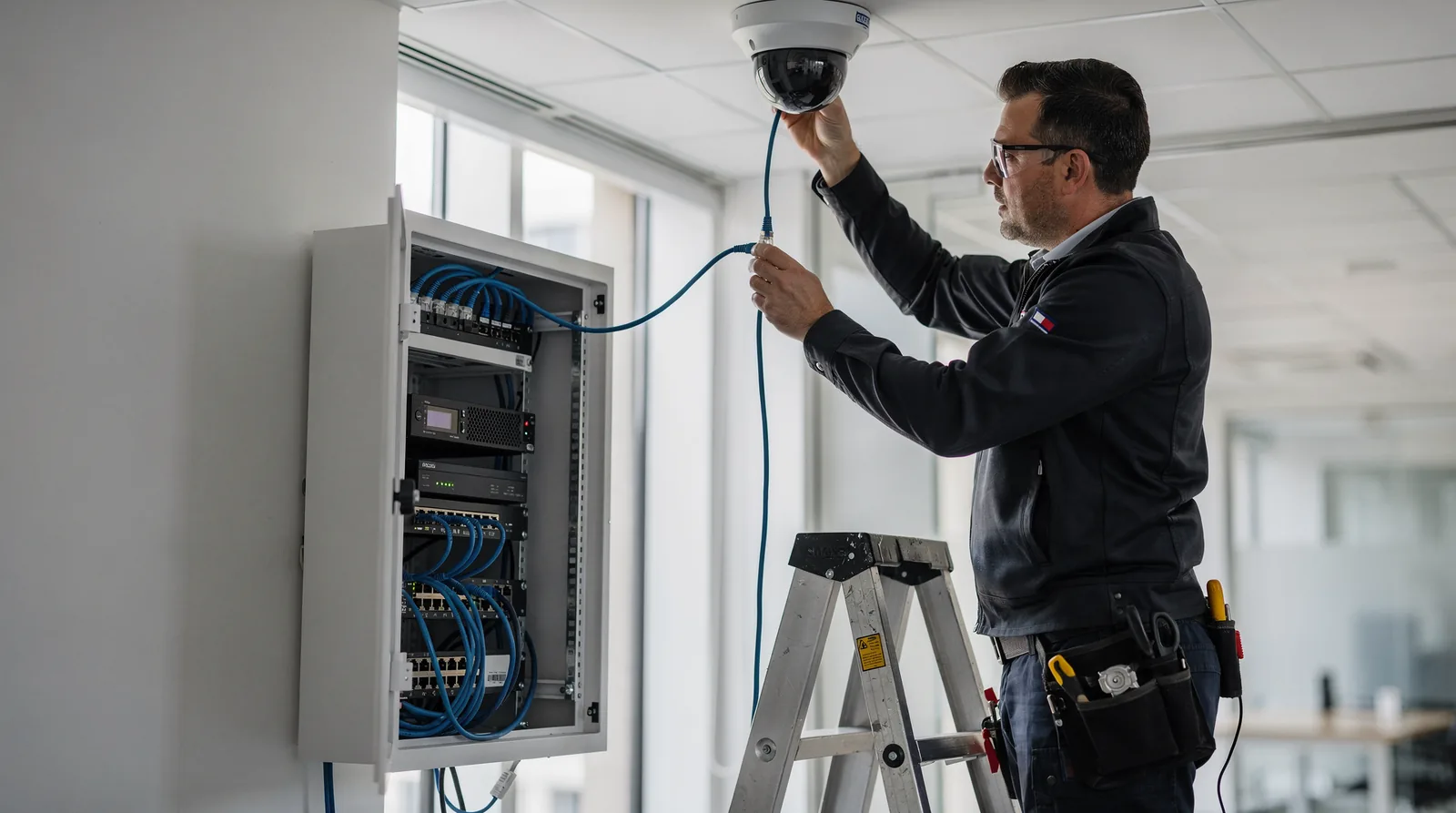
Migrating to cloud IP surveillance follows a clear sequence: assess existing hardware, plan storage architecture, connect devices to a managed platform, and verify remote access before decommissioning old equipment. For Austin and Dallas business owners running legacy analog systems, the process protects continuity while unlocking mobile monitoring. Facility managers who skip planning risk downtime during the switch, along with gaps in footage exactly when they need it most.
Before starting, administrators should confirm three prerequisites: network bandwidth sufficient for video traffic, a defined storage strategy, and a maintenance window for cutover.
- Audit current cameras and cabling to determine which components support IP conversion.
- Select a storage model: Dallas commercial migrations commonly pair on-site NVR storage with cloud and hybrid recording, giving administrators mobile access from any location.
- Install IP-ready hardware and connect it to the management platform.
- Test remote monitoring across devices before retiring the analog system entirely.
- Expand integration where useful, since a cloud upgrade often extends control beyond cameras to connected devices like thermostats, lights, and door locks.
Does migration disrupt monitoring during the transition?
No, it shouldn’t. Dyezz maintains coverage around the clock using some of the most advanced systems available. Cameras stay monitored throughout installation and beyond. Continuous oversight during cutover matters most for properties that can’t afford blind spots, even briefly.
Can one provider handle multiple business locations?
Yes. Dyezz now serves cctv systems austin tx customers alongside Dallas, El Paso, and San Antonio, giving multi-site operators a single point of contact statewide. As a local provider, Dyezz builds its migration plans around the specific layout, traffic patterns, and risk profile of each Texas facility. That local focus and service area commitment carries into every project, reflecting a broader dedication to long-term client relationships rather than one-time installs.
Can You Reuse Existing Cameras During The Upgrade?
Yes, most existing cameras stay in service during a cloud upgrade. Facility managers in Austin and Dallas do not need to rip out legacy equipment to gain remote, cloud-based visibility over their properties.
A persistent myth in the security industry claims that moving to the cloud forces a business to replace every camera on the premises. That belief costs property administrators money and delays projects that could move faster. In reality, ONVIF-compliant IP cameras, the standard for most cameras sold across the US enterprise market over the past decade, connect directly to a modern cloud video management system without swapping hardware.
Will upgrading disrupt daily operations at a storefront or facility?
Disruption stays minimal when the existing camera inventory is ONVIF-compliant. Dyezz evaluates each business’s current setup. Builds a customized security solution around what already works, rather than forcing a one-size-fits-all package onto the property.
That tailored approach matters for both ends of the business spectrum. A small Austin storefront and a large Dallas enterprise campus face different risks. Each benefits from cutting-edge technology paired with expert installation service. The result protects against theft, vandalism, and unauthorized access without unnecessary equipment costs.
What steps confirm camera compatibility before migration?
- Identify each camera’s compliance status with the property’s network documentation.
- Confirm ONVIF certification for cameras installed within the past decade.
- Flag any legacy analog units for separate replacement planning.
- Schedule a site evaluation to map the migration path.
Facility administrators in Austin and Dallas gain a clearer upgrade budget once compatibility is confirmed, avoiding surprise hardware costs mid-project.
What Mistakes Should You Avoid After Upgrading?
Costly errors after migration usually trace back to skipped configuration steps, not faulty equipment. Facility managers in Austin and Dallas who rush past setup often lose the very features that justified the upgrade. Newly installed cctv systems austin tx businesses invest in only pay off when every layer, from analytics to access control, gets configured correctly the first time.
Why does skipping AI setup hurt new systems?
Austin businesses and law enforcement already rely on AI-powered tools that flag unusual activity. Recognize faces and license plates in real time. A new system left on default settings won’t deliver that capability. Facial and plate recognition require deliberate configuration; treating an upgrade as “plug and play” wastes the technology’s strongest advantage.
What other setup mistakes reduce system performance?
Property administrators sometimes select a video management platform without matching it to their space. A commercial-grade VMS built for offices, retail floors, and warehouses performs differently than a generic option. Mismatched software creates blind spots and slows searches during an incident.
Common oversights include:
- Leaving AI analytics disabled instead of tuning them for the property
- Choosing a VMS that doesn’t fit the site type
- Failing to link alarms and access control into the same platform
- Ignoring mobile alert configuration, which delays response
Dallas and Austin operators measuring success against a genuinely state-of-the-art security standard should confirm every integration point works together. A disconnected system, however modern, still leaves gaps a determined intruder can exploit.
Conclusion
In closing, upgrading from legacy CCTV to cloud-based IP video surveillance represents a strategic investment in your property’s security infrastructure. Whether you operate in Austin, Dallas, or elsewhere across Texas, modern surveillance systems deliver the clarity, accessibility, and scalability your business demands. Dyezz Surveillance and Security stands ready to guide you through this transition, ensuring your upgraded system aligns perfectly with your operational needs and security objectives.
Frequently Asked Questions
Is my old analog CCTV system still good enough?
It may still record footage, but analog systems typically lack remote access, searchable video, and integration with modern alarm and access control tools. A cloud IP upgrade adds those capabilities without necessarily requiring a full teardown of what you already have.
What should I confirm before switching to cloud IP video?
Identify which cameras are IP capable versus analog only, confirm your cabling and bandwidth can support cloud recording, map out which locations need mobile alerts versus on site viewing, and set a realistic timeline that avoids coverage gaps during the transition.
Do I need to replace my entire CCTV system at once?
No. Dyezz Surveillance and Security designs phased migrations that reuse existing cable and compatible cameras where possible, cutting cost and downtime for Austin and Dallas businesses.
Will upgrading disrupt my daily business operations?
Disruption stays minimal when your existing cameras are ONVIF compliant. Dyezz evaluates your current setup and builds a customized migration plan around what already works, and coverage continues around the clock throughout installation.
Can I reuse my existing cameras when moving to the cloud?
Yes. Most existing cameras stay in service during a cloud upgrade. ONVIF-compliant IP cameras, the standard for most equipment sold over the past decade, connect directly to a modern cloud video management system without swapping hardware.
What is ONVIF compliance and why does it matter?
ONVIF is the industry standard that lets IP cameras communicate with cloud video management platforms. Confirming ONVIF certification on your existing cameras is what allows Dyezz to migrate your system to the cloud without replacing every camera on the property.
How does cloud storage differ from on-site DVR or NVR storage?
Cloud storage removes the retention limits and hardware costs tied to on-site DVRs, while hybrid setups pair on-site NVR storage with cloud backup for mobile access. The right model depends on your bandwidth, budget, and how much footage history your business needs.
What mistakes should I avoid after upgrading my CCTV system?
The most common errors are leaving AI analytics disabled, choosing a video management platform that does not fit the property type, failing to link alarms and access control into the same system, and skipping mobile alert configuration. Each of these undercuts the value of the upgrade.
Can one provider manage security across multiple Texas locations?
Yes. Dyezz serves commercial CCTV customers across Austin, Dallas, El Paso, and San Antonio, giving multi-site operators a single point of contact statewide while still building migration plans around each facility’s specific layout and risk profile.
How does AI-powered analytics improve my new camera system?
AI analytics can flag unusual activity and recognize faces and license plates in real time, turning existing camera footage into actionable security intelligence. That capability requires deliberate configuration rather than default settings, so it should be set up as part of the migration, not treated as an afterthought.